
Keyboard Shortcuts
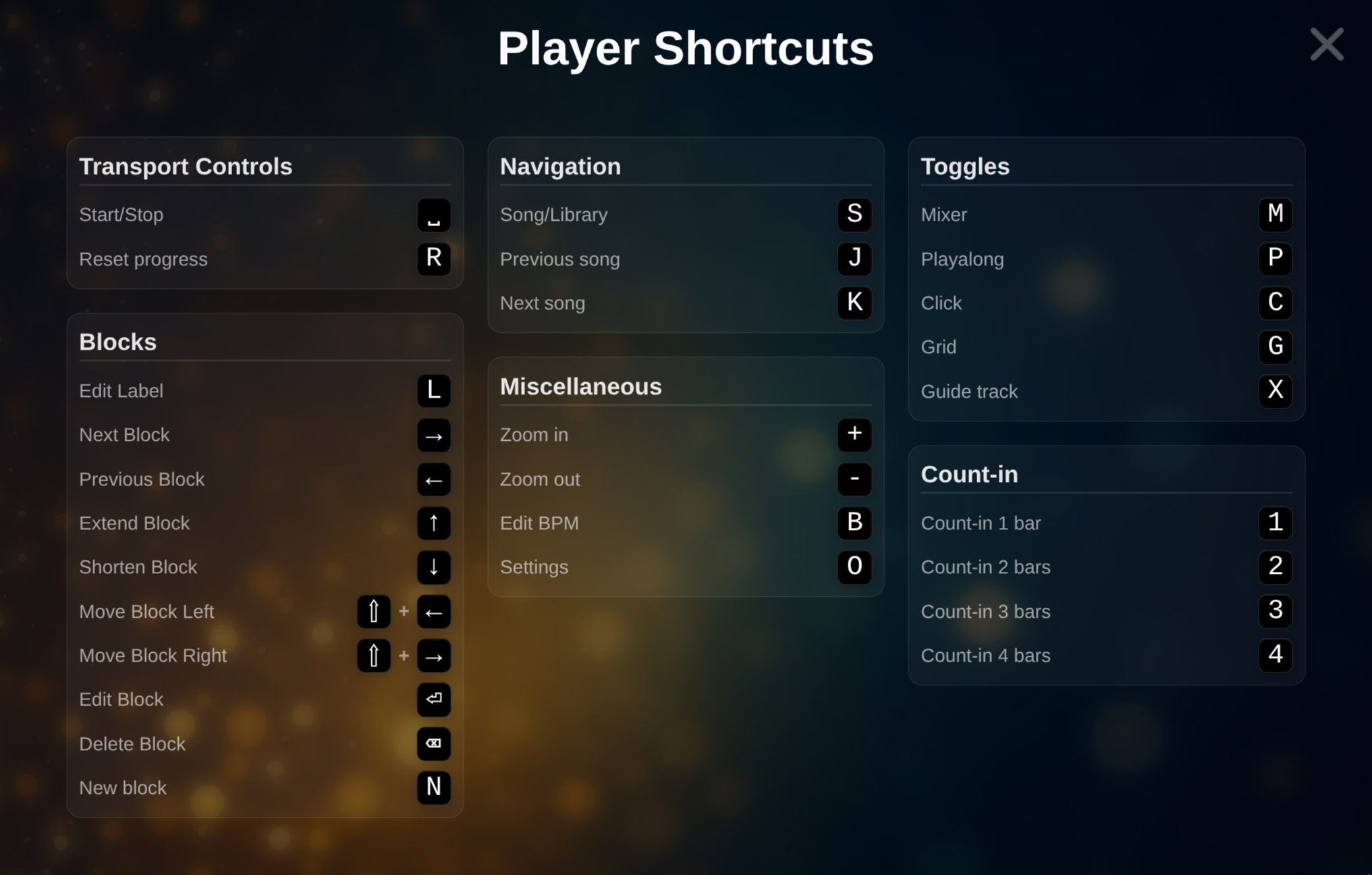 Player Shortcut Overview
| Action | Key |
|---|---|
| Start / Stop | Space |
| Reset / Rewind | R |
| Edit block label | L |
| Create new block | N |
| Duplicate block | D |
| Select previous / next block | ← / → |
| Move block | Shift + ← / → |
| Increase / decrease bars | ↑ / ↓ |
| Song / Song Library | S |
| Save Song | Ctrl + S |
| Previous Song | J |
| Next Song | K |
| Zoom in | + |
| Zoom out | - |
| Edit BPM | B |
| Open Settings / Options | O |
| Toggle Mixer | M |
| Toggle Playalong | P |
| Toggle Click | C |
| Toggle Grid | G |
| Toggle Guide | X |
| Set Count-in to 1 bar | 1 |
| Set Count-in to 2 bars | 2 |
| Set Count-in to 3 bars | 3 |
| Set Count-in to 4 bars | 4 |
| Delete block (no confirmation) | Backspace |
| Open block editor | Enter |
Keyboard Shortcut Overview
Section titled “Keyboard Shortcut Overview”- H Displays all keyboard shortcuts available in the current Player context